Drawsy: AR Draw for Sketching
- 4.0
- Rating
- 100.00K
- Installs
- Free
- Price

 Analysis by App-foxy
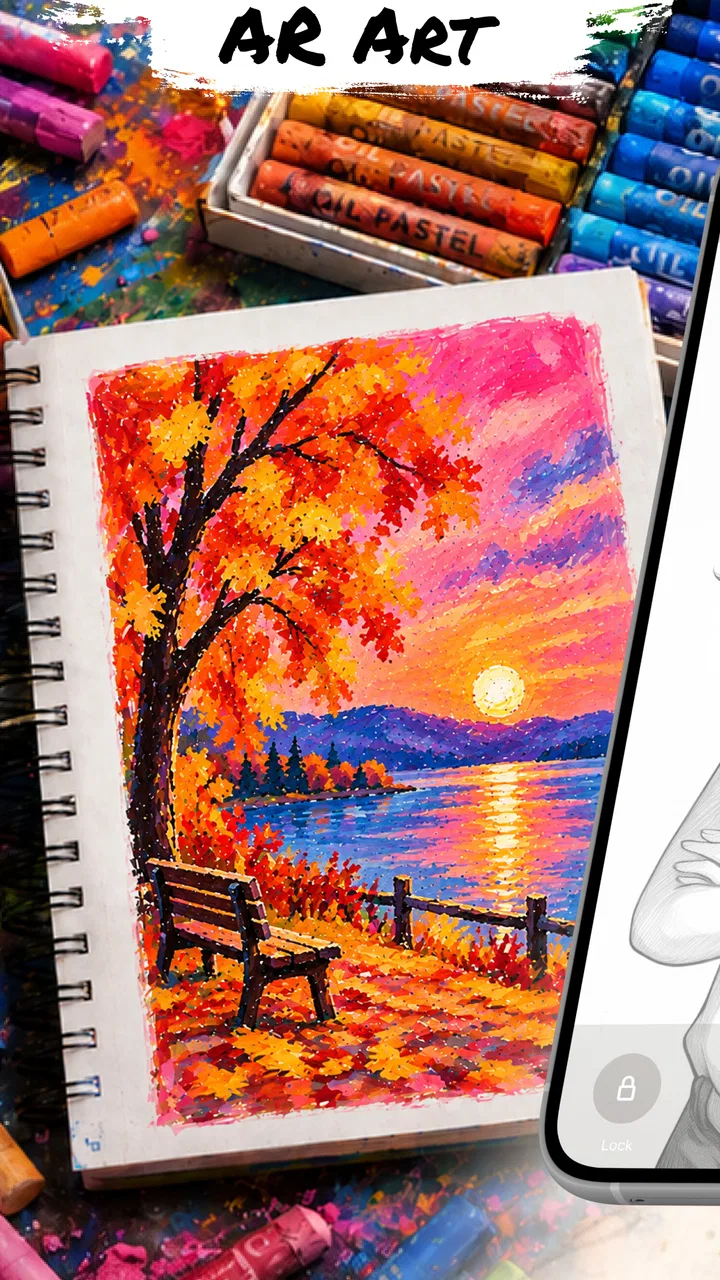
I approached Drawsy: AR Draw for Sketching as a practical drawing aid rather than a replacement for learning how to draw. Its idea is straightforward: place an image in augmented reality, follow its visible lines, and turn that guide into a sketch on paper. In my experience, that makes the app most interesting when I already have a subject in mind but need help with proportion, placement, or confidence.
It belongs to the Art & Design category and is made by estu. The app is free to install, with optional purchases ranging from $1.99 to $49.99 per item. That combination makes it easy to try without committing money first, although anyone who plans to use it regularly should pay attention to which parts of the experience are included and which may require a purchase.
The audience is broad because the content rating is Everyone, but the usefulness is more specific. Beginners can use it to get past the intimidating blank page, while more experienced artists may appreciate it as a quick tracing reference. I would not treat it as a complete drawing course. Its value is in the setup and guidance it provides before the actual hand-drawn work begins.
You May Also Like

 Blood Strike: 2.5 Anniversary
Blood Strike’s Loadouts Turn Every Drop Into a Tactical Gamble
A close look at Blood Strike’s custom loadouts: how fast access to signature weapons reshapes its battle royale rhythm, rewards preparation, and narrows the gap between fights.

 Pandora - Music & Podcasts
Pandora’s Music Is Easy to Start, but Harder to Recover
Pandora’s strength is its low-effort path from a seed to a station. Its weak spot is how much confidence it asks you to place in connection, setup, and quiet recovery.

 8 Ball Pool
8 Ball Pool Is Built on Rivalries, Rematches, and Routine
A close look at the rivalries, rematches, shared routines, and unanswered safety questions that turn a quick pool match into a persistent mobile community.

 Samsung Music
Samsung Music’s Quiet Strength Is Playing What You Already Own
Its reach comes less from spectacle than from dependable access to a personal library. That simplicity is both the app’s strongest retention engine and its ceiling.

 AccuWeather: Weather Radar
AccuWeather Review: A Quick, Clear Forecast for Everyday Decisions
For everyday plans, the best forecast is the one you can understand quickly. AccuWeather makes rain timing, radar, and local conditions easy to act on, with a few trade-offs.

 Hill Climb Racing
Why Hill Climb Racing Still Turns Crashes Into One More Run
A tiny car, a bumpy hill and one more upgrade: Hill Climb Racing keeps resurfacing because its simple chaos makes every near-miss feel personal.
More From Our News Desk



From choosing an image to making a physical sketch
Before opening the AR view, I would make the image choice do some of the work: crop away distractions and favor a clear outline over a busy scene. That small bit of preparation can make the tracing session feel quicker and reduce the temptation to chase every detail. Next, I’d focus on keeping the phone and paper steady, because the physical setup shapes how smoothly the sketch progresses.
Starting with the right drawing problem
The best way to use Drawsy is to begin with a clear, limited goal. For example, I might want to sketch a pet, a simple object, a character pose, or a reference photo that has an interesting silhouette. The app is less useful when I expect it to invent the whole creative direction for me. I still need to choose a suitable image and decide what kind of paper, pencil, and finished style I want.
Image choice matters more than a casual first attempt might suggest. A picture with a strong outline and clear separation between the subject and background is easier to trace than a crowded scene full of overlapping details. If I start with a highly textured image, I can quickly lose track of which marks are essential and which are visual noise. A clean reference gives the AR overlay a more manageable job and leaves me with a sketch that is easier to refine afterward.
For a first session, I would choose something with a recognizable outer shape and only a few internal features. A mug, leaf, shoe, or simple animal profile is a better test than a complicated portrait. This is one of the app’s less obvious trade-offs: tracing can help with proportion, but it does not automatically decide which lines deserve attention. Good results still depend on editing the reference mentally before putting pencil to paper.
Setting up the AR view
Once the image is ready, the practical challenge is creating a stable relationship between the phone, the paper, and the drawing surface. The phone needs to remain positioned so I can see the projected reference while keeping enough room to draw. This is where the experience differs from drawing directly on a tablet. My hand, pencil, paper, and phone all have to share the same physical workspace.
I found it helpful to prepare the surface before beginning rather than adjusting everything after the overlay is already in place. A sheet that slides, a phone that shifts, or a cramped desk can turn a simple tracing exercise into repeated interruptions. Even a small change in position can make the reference and the pencil marks feel disconnected. The app may make the image appear accessible, but the physical arrangement remains my responsibility.
Lighting also affects the workflow. I need enough light to see the paper clearly, while avoiding glare that makes the phone display difficult to read. A comfortable setup is especially important for longer sketches because constantly leaning around the device creates fatigue. Drawsy works best when I treat the AR stage as a small workstation rather than something I casually hold in one hand.
Tracing without losing control of the drawing
The obvious temptation is to follow every visible line as quickly as possible. I get better results when I slow down and use the overlay as a guide instead of assuming every mark must be copied exactly. I usually begin with the largest contour, check the overall placement, and then add only the internal lines that help identify the subject.
This approach gives me a useful handoff between the digital reference and the physical sketch. The app helps with location and scale, but the pencil still determines pressure, texture, line weight, and personality. If I press too hard while tracing, the result can look stiff even when the proportions are accurate. A light construction pass is more forgiving because I can correct the drawing before committing to darker details.
A practical technique is to divide the subject into broad zones. I can check the top, bottom, left, and right boundaries first, then look at the position of distinctive features. On a face, that might mean placing the eyes and nose before attempting small details. On an object, it could mean checking the opening, handle, or major edge. This prevents a common failure: producing carefully traced details that are correctly drawn individually but incorrectly placed in relation to the whole.
The handoff from screen to paper
The most important part of the experience happens when I stop looking at the app as the finished product. Drawsy is a bridge. The screen supplies a temporary visual scaffold, while the paper becomes the actual result. That handoff feels satisfying when the major lines land in the right places, but it also exposes the limits of any AR tracing tool.
The phone cannot replace decisions about materials or finish. A graphite pencil creates a different character from a fineliner, and a rough sheet behaves differently from smooth paper. I can use the overlay to establish structure, then move the phone aside and develop shading, texture, and expression without it. In fact, I prefer that two-stage method because it keeps the final image from looking like a mechanical copy.
There is also a useful learning benefit if I deliberately compare the guide with my freehand marks. Instead of tracing passively, I can notice where I tend to misjudge angles or spacing. After several drawings, those observations become more valuable than any single finished sketch. The app is therefore strongest when I use it as temporary support and gradually test how much of the structure I can reproduce without assistance.
What the finished result feels like
The outcome depends heavily on the reference and the care taken during setup. For simple subjects, Drawsy can help me produce a recognizable sketch sooner than I might by estimating every proportion from scratch. It is particularly useful when the goal is a handmade drawing that needs to resemble a specific object or image, not necessarily an original composition built entirely from imagination.
That does not mean the result automatically looks professional. Clean tracing can still produce a flat image if I do not add line variation, value, texture, or selective detail afterward. I see the app as improving the foundation rather than completing the artwork. The final quality comes from what I do after the basic outline is in place.
For gifts, school projects, casual decorations, and personal practice, that foundation can be enough to make the app worthwhile. Someone who wants to sketch a family pet, reproduce a favorite object, or create a reference for painting may get immediate practical value. Someone looking for expressive freehand development may find the assisted beginning useful, but should not mistake it for practice in observation or anatomy.
A realistic everyday workflow
Imagine I want to draw a bicycle for a small poster. I would first select a side-view image with a clear frame and limited background clutter. I would place the paper on a stable surface, arrange the phone so the reference remains visible, and begin with the wheels and overall frame rather than jumping to the chain or handlebars.
After checking the spacing between the wheels, I would lightly trace the main structure and pause to inspect whether the proportions make sense on paper. Then I would add the distinctive parts that make the bicycle recognizable. Once the basic drawing is secure, I could move the device away and finish the poster with heavier outlines, shading, lettering, or color.
This example shows where the app saves time and where it does not. It reduces the uncertainty of placing the subject, but it does not choose the composition, prepare the paper, correct a shaky hand, or complete the design around the sketch. The result is a smoother starting point, not an automatic illustration.
Where the workflow becomes frustrating
The main friction comes from the physical nature of AR drawing. A phone screen is useful as a guide, but it occupies space and demands attention while I am trying to work with both hands. If the device moves, the alignment can become inconvenient. If the paper moves, the same problem appears from the other direction. This makes the experience less relaxed than drawing from a printed reference placed beside the page.
Printed references also have an advantage when I want to study the image carefully without maintaining an overlay. A tablet or computer can be better for artists who want layers, brushes, undo controls, color adjustment, and direct digital output. Drawsy is aimed at a different handoff: it helps me transfer a visual reference into a physical sketch. Choosing between these options depends on whether the final work belongs on paper or inside a digital canvas.
Another limitation is that tracing can encourage overreliance. If I always follow the guide line by line, I may improve my ability to copy a projected image without improving my understanding of form. I would use the app selectively: perhaps for difficult proportions or a first construction pass, then switch to observation and freehand decisions. That balance keeps the tool helpful instead of turning it into a crutch.
The purchase model is another point worth considering. The app itself is free, but optional in-app items are priced from $1.99 to $49.99 each. I would start with a small, clearly defined project and explore the free experience before spending anything. That is especially sensible for occasional users, since a person who only needs help with a few sketches may not benefit from paying for a larger set of extras.
Who should use it, and who should choose something else
I would recommend Drawsy to beginners who feel blocked by proportion, parents looking for an approachable creative activity, and hobby artists who want to transfer a reference onto paper. It can also suit someone preparing a handmade card or classroom project where resemblance matters more than advanced digital editing.
I would be more cautious about recommending it to a professional illustrator who needs a full production environment. The app’s central strength is the AR guide, not a complete replacement for drawing software. Artists who need layers, extensive brush control, image editing, or a polished digital export workflow will probably be better served by a dedicated illustration app.
It is also not the ideal choice for someone whose main goal is learning to draw entirely from observation. In that case, a printed reference, a sketchbook, and structured exercises may create better long-term habits. Drawsy can support that learning process if used to check difficult passages, but it should not remove every opportunity to estimate and construct forms independently.
What I would do before recommending it
I would begin with a simple, high-contrast image and a short session. I would secure the paper, make the phone easy to view, and use light marks for the first pass. I would also decide in advance which details matter most, because trying to trace everything is slower and often produces a busier drawing.
After finishing the outline, I would deliberately put the phone aside. That step is important: it turns the app from an automatic copying device into a starting aid. I could then add shading, simplify awkward lines, or change the style without being tied to the reference.
For repeated practice, I would alternate assisted and unassisted sketches. One drawing could use the AR guide for proportion, while the next could use the finished sketch as a reference for freehand reconstruction. This gives me a way to measure whether the app is building confidence or merely making each individual drawing easier.
My final take on the experience
Drawsy is a focused Art & Design app with a clear practical purpose. It makes the first stage of a paper sketch less intimidating by helping me place an image and follow its structure in AR. The strongest results come when I choose a clean reference, prepare the physical workspace carefully, and treat the overlay as temporary guidance rather than the artwork itself.
Its current version is 2.5.0, and the app has reached over 100 thousand installs with an average rating of 4.1 from around 1.5 thousand ratings. Those figures suggest a real audience for this kind of assisted sketching, but they do not change the basic judgment: the app is useful for a particular workflow, not every kind of drawing.
Since it is free to start, I think it is worth trying if you want to move a reference from your screen onto paper and need help with scale or outline placement. I would skip it if your priority is advanced digital illustration, serious drawing instruction, or a completely hands-free setup. For the right project, though, the best feature is the bridge between a difficult blank page and a confident first line.
Released on March 18, 2026, and suitable for Everyone, it is approachable without being effortless. My recommendation is to use it with intention: choose the reference carefully, keep the first marks light, and finish the drawing with your own decisions. That is where the app stops being a shortcut and becomes a genuinely useful part of a creative workflow.
FAQs for Drawsy: AR Draw for Sketching
01What is Drawsy: AR Draw for Sketching, and how does it work?
Drawsy: AR Draw for Sketching is a creative drawing app that uses augmented reality to help you trace or sketch images in the real world. After selecting or importing a reference, the app overlays the artwork through your device’s camera view. You can place your phone above paper or another surface and follow the visible lines while drawing by hand.
02Do I need a special AR device or accessories to use Drawsy?
You generally do not need special augmented-reality glasses or professional equipment to use Drawsy. The app is designed to work through a compatible smartphone or tablet camera, although AR support, camera quality, and performance can vary between devices. A stable stand or phone holder is highly recommended because keeping the camera fixed makes tracing considerably easier.
03Can I import my own images into Drawsy for tracing?
Drawsy is intended for sketching from visual references, and the ability to use personal images is one of the most useful features for many artists. Depending on the version and device, you may be able to choose an image from your gallery or use available in-app artwork. Before downloading, check the current store listing to confirm supported file options and any import limitations.
04Is Drawsy suitable for beginners, children, and experienced artists?
The app is particularly approachable for beginners, children, and anyone who wants help with proportions or basic outlines. It can make drawing less intimidating by providing a visible guide on the paper. More experienced artists may also use it for planning compositions, but it should be viewed as a tracing and learning aid rather than a replacement for developing freehand observation and drawing skills.
05Is Drawsy: AR Draw for Sketching free to download, and are there in-app purchases?
Drawsy’s availability, pricing, advertisements, and premium features can depend on the platform and the current app version. Some tools, image collections, or advanced options may require payment or a subscription, while the basic experience may be available at no cost. Review the Google Play or App Store listing carefully before installing, especially if you want to avoid recurring charges.
Pros
- AR overlays make it easier to trace proportions and basic shapes.
- Useful for practicing observational drawing with real-world references.
- Simple interface lets beginners start sketching quickly.
- Supports creative projects by combining camera views and drawing guides.
- Portable alternative to carrying physical tracing tools.
Cons
- Requires a compatible device with reliable camera and AR support.
- Tracking may drift when lighting is poor or surfaces lack detail.
- Free features may be limited by ads or optional in-app purchases.
- Phone placement must remain steady for accurate tracing.
- Extended camera use can drain the battery relatively quickly.

Drawsy: AR Draw for Sketching
Gallery